
How do I submit my Daffy intent form
Now that your request for transfer has been sent to Altruist, we need to let Daffy know of the incoming shares. Please follow the below steps to submit your intent form:
-
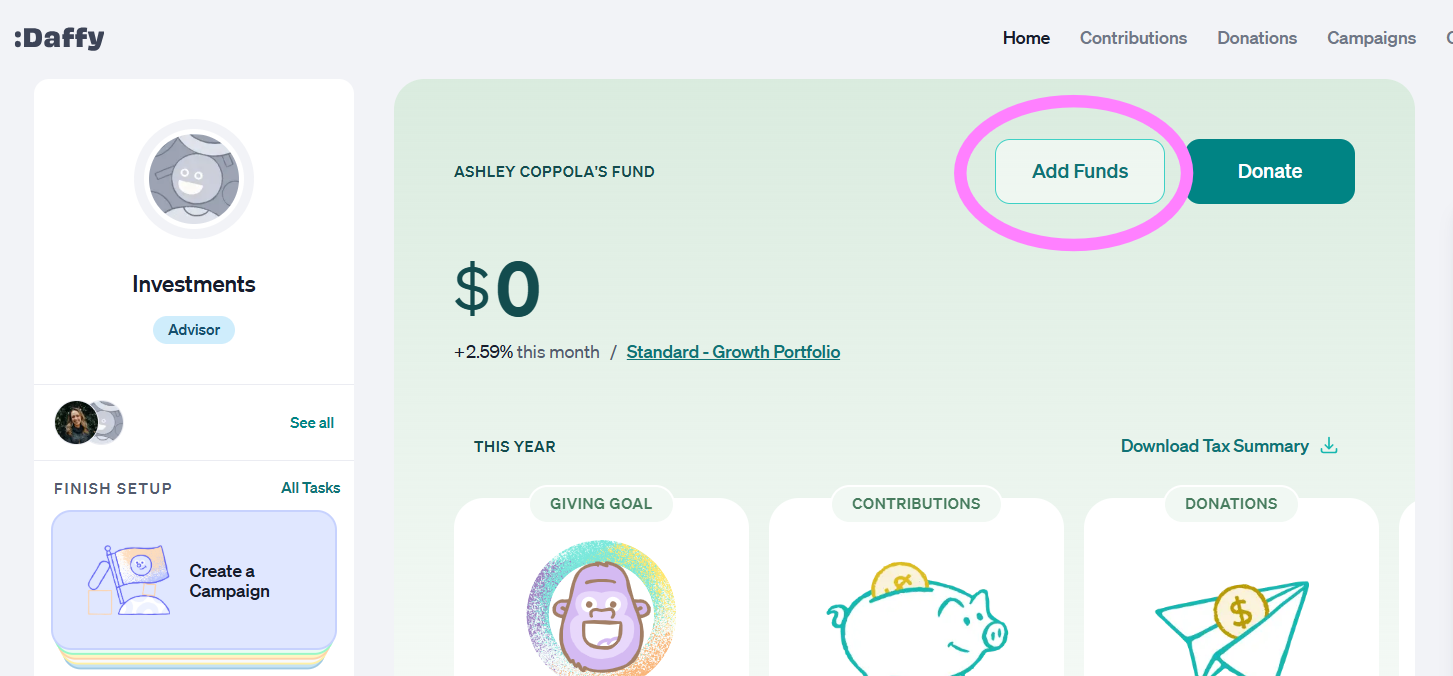
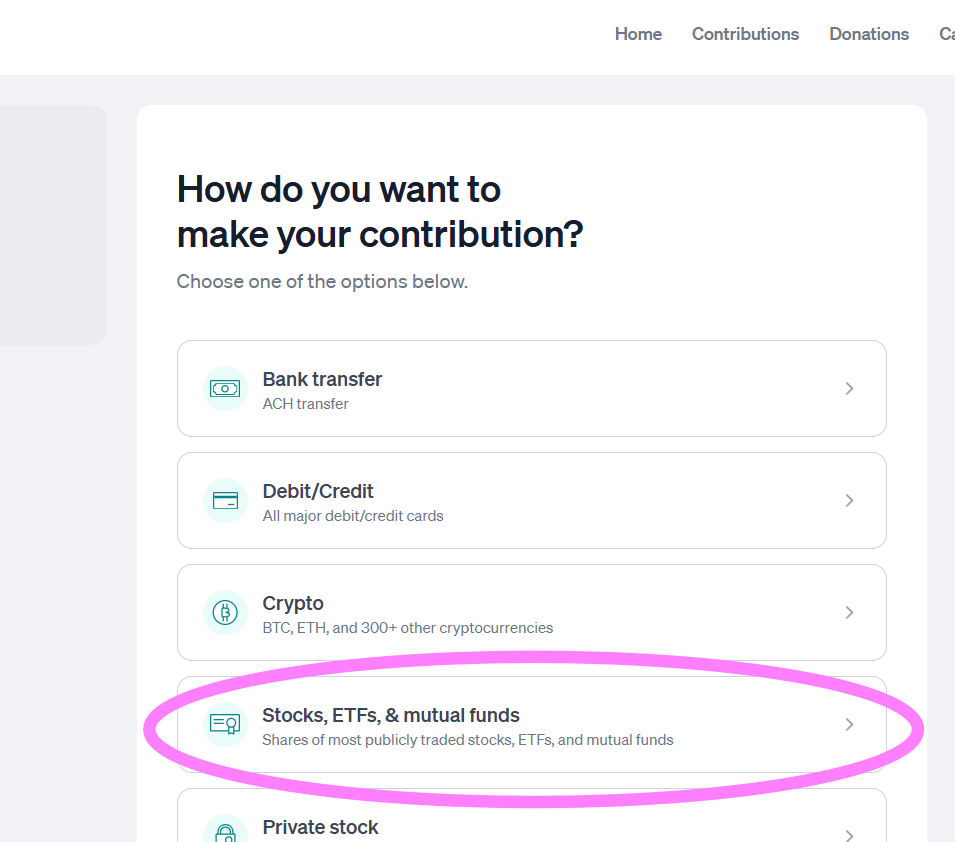
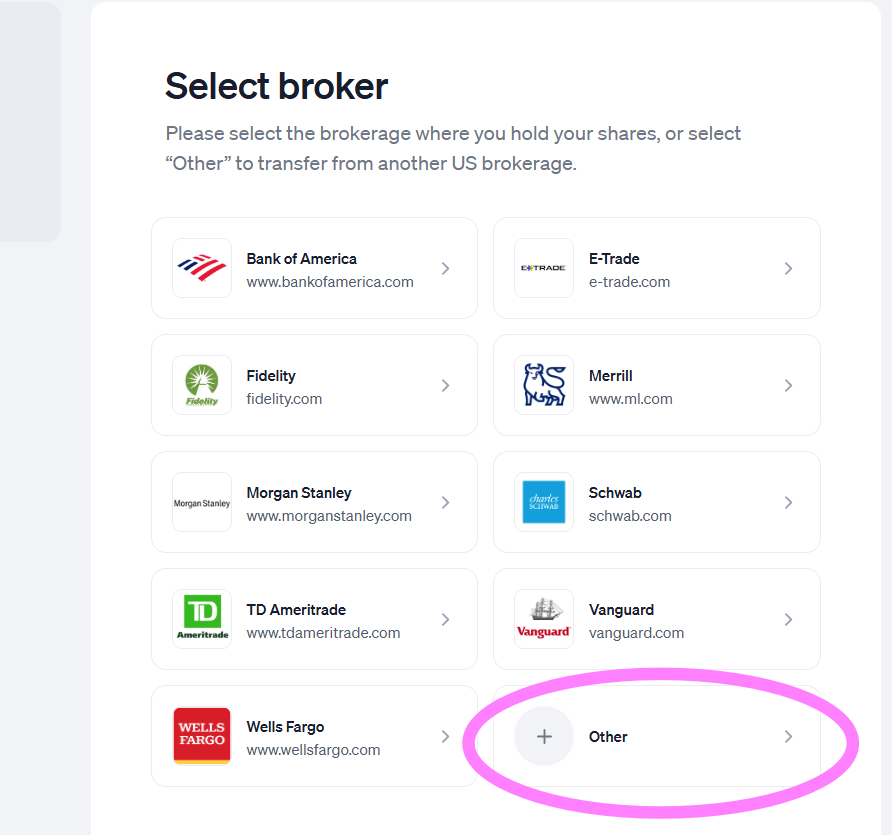
Log into your Daffy account and create a stock intent for the shares you are donating (Go to Add Funds > Stocks, ETFs, & Mutual Funds >Choose Other Institution). You will do this for each security/stock ticker you wish to donate. (i.e.- if you are donating 20 shares of VTI and 20 shares of VT, this would require 2 separate submission forms).
-
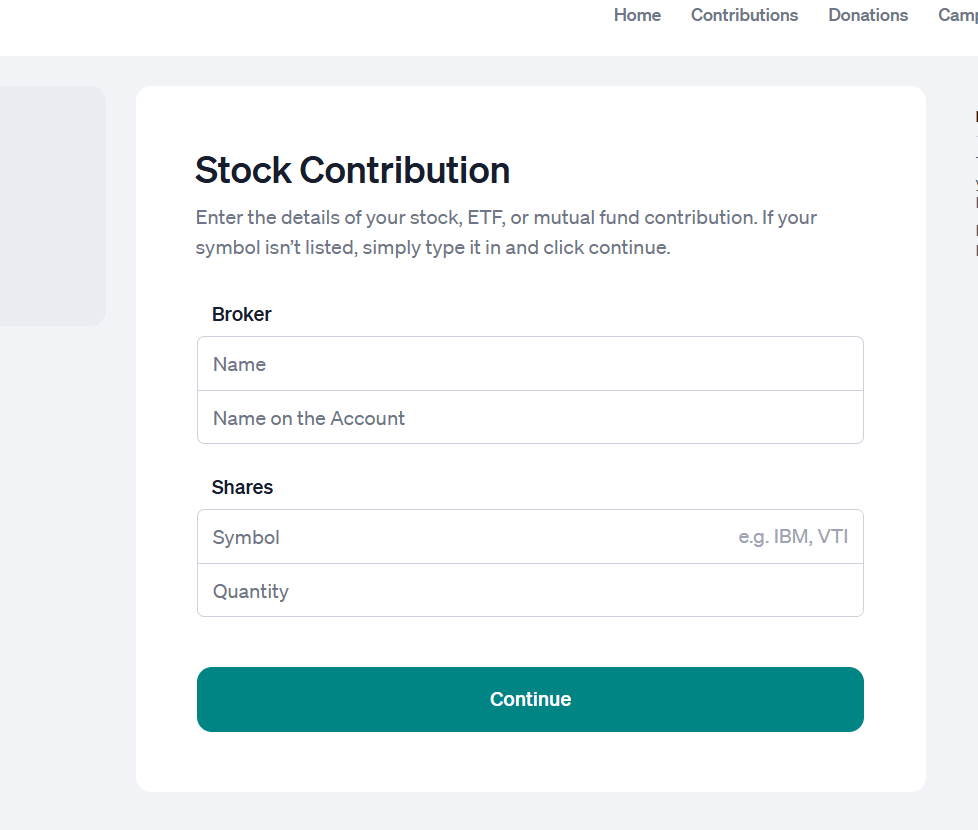
Input the following information and click "Continue":
Broker: Altruist Financial, LLC
Name on the Account: [YOUR FULL NAME]
Stock/Fund Symbol: XXX
Shares: TOTAL # shares
-
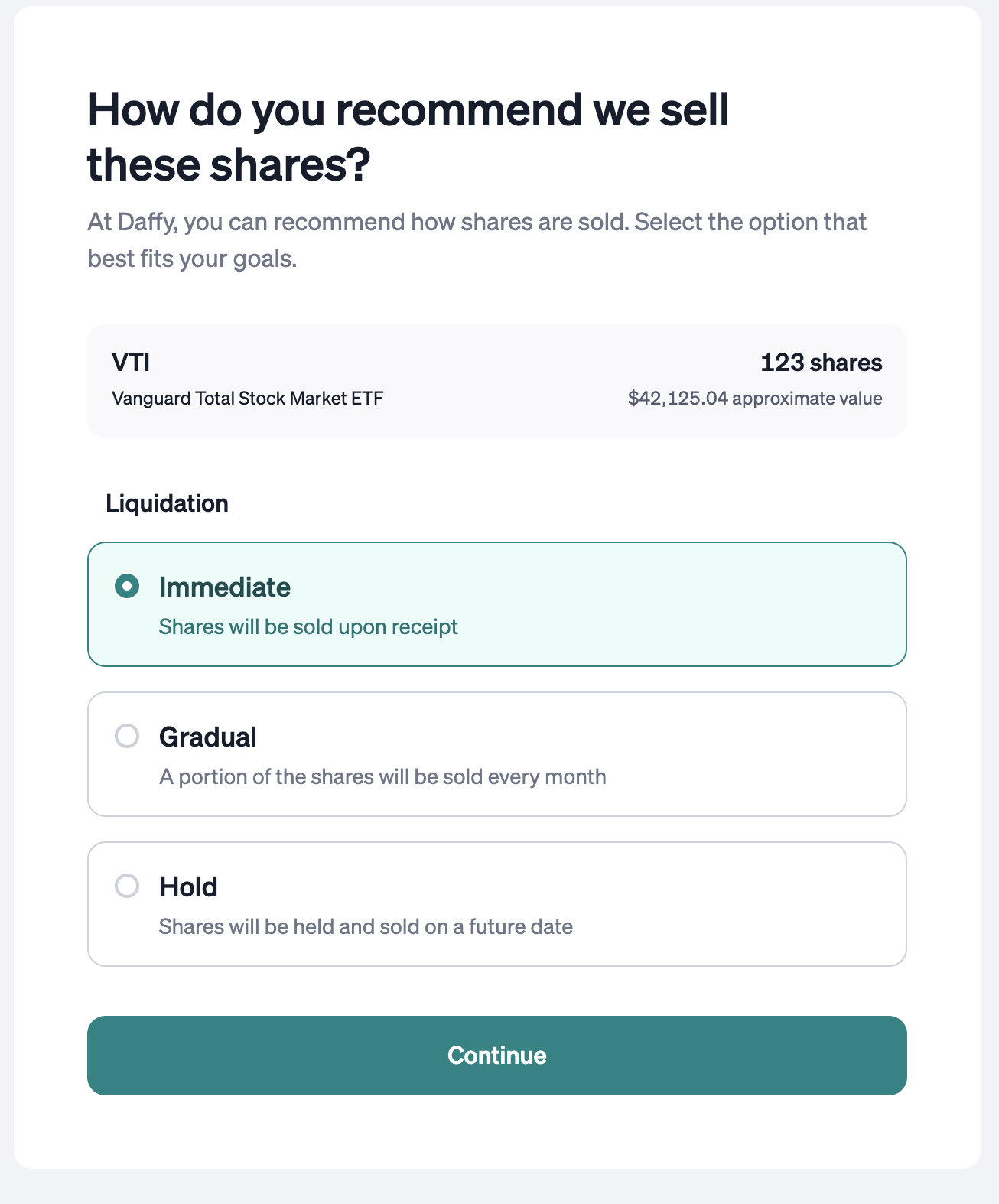
On the next screen, you will have the following options. Choose the appropriate option and click "Continue."
We generally encourage you to select ‘Immediate’ sale of the shares if you’re going to set up recurring donations from your Daffy account. If you’d prefer to hold the shares to grow in the account and make a donation at a later date, then you can choose gradual sales over time, or to hold the position for the time being.
- Repeat intent form for each fund you plan to donate (the investment team will have made you a task with the info you need for each intent form after your e-signature has been received and submitted to Altruist)
*Creating an intent helps Daffy accurately match your incoming transfer to your account, avoiding delays in crediting your contribution once it’s received.
If you need assistance, feel free to book a quick help call with our Investment specialist, Ashley
https://calendly.com/slpwealth-team/15-min-connect-w-investment-team