
Opening accounts in Altruist
So you're ready to open brokerage accounts - great! We are excited for you to open your accounts and see your money work for you. To set up your accounts, we will send over an account opening package via email through our investment custodian, Altruist.
See step by step how to open:
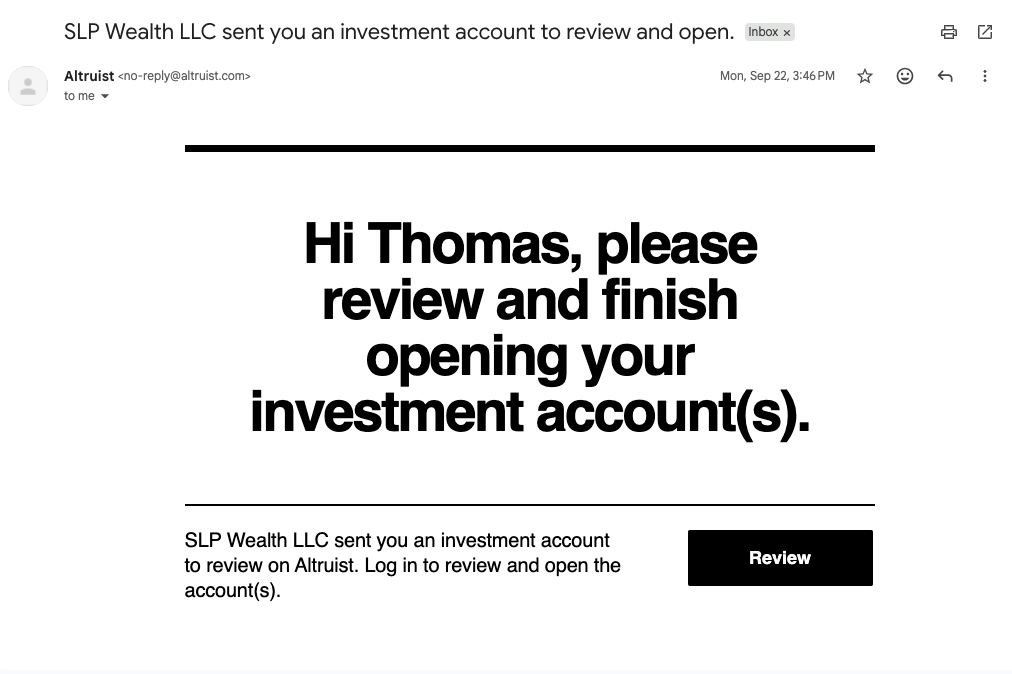
- You will get an email from Altruist that should look like this (see below). From that email, click "Review"
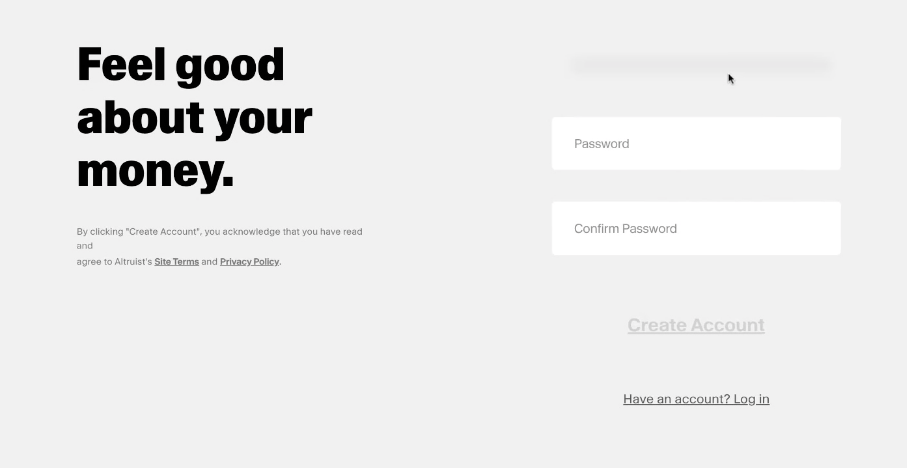
- Next you will be prompted to create your account on this screen. Once you confirm you will receive an email to activate your account with Altruist, so that you can accept the investment account invitations.
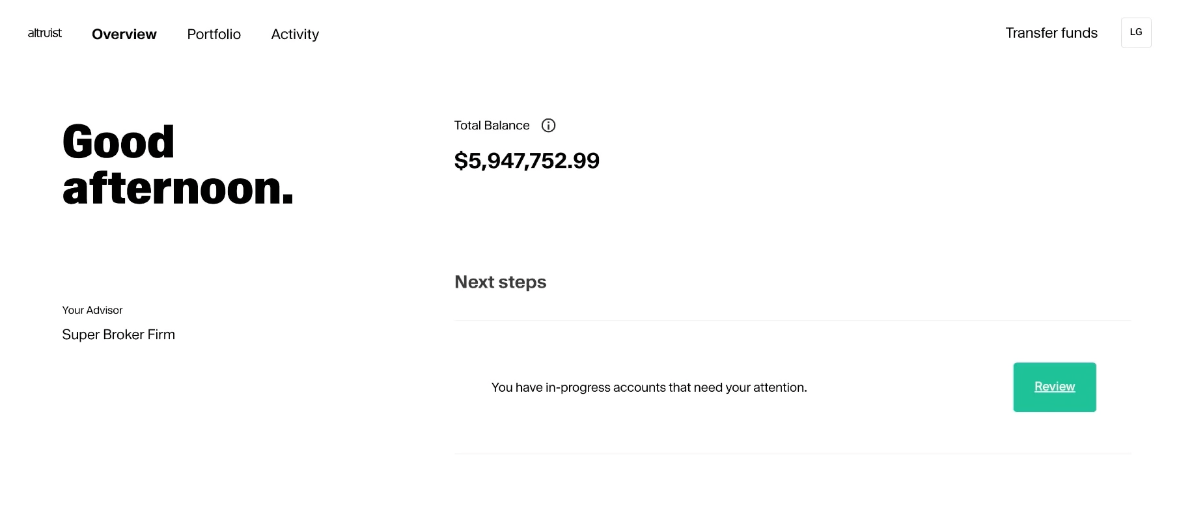
- Log into your client portal with Altruist and locate the "Next Steps" section and click "Review" to review the account openings your advisor recommended for you.
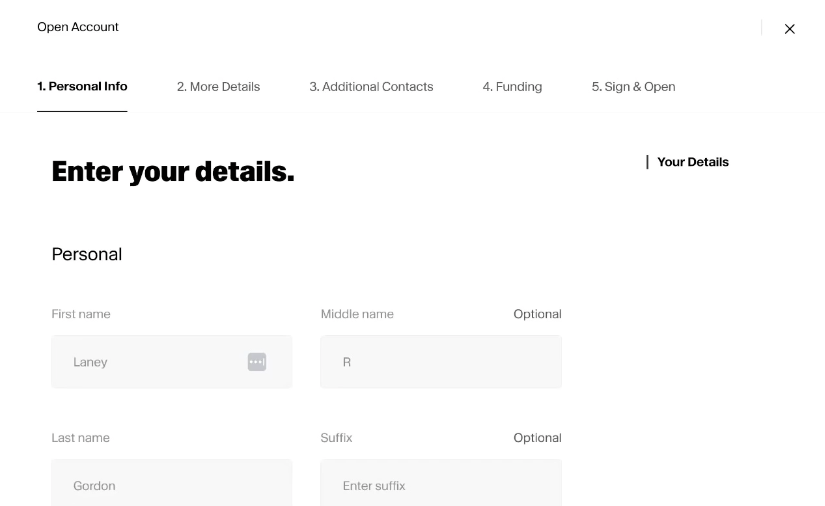
- Confirm and enter your information to the best of your abilities on the next screens. Click Next to proceed to the next screen. For beneficiaries and trusted contacts, you can add these later if you don't have their info handy while opening.
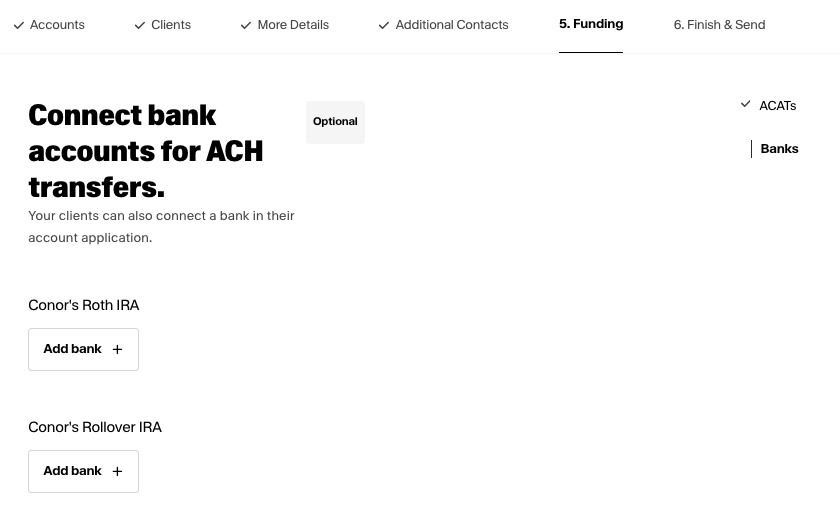
- You’ll want to link your checking/savings account(s) with Altruist so that you can transfer money back and forth as needed going forward. Here's our help page on how to link accounts: https://slpwealth.helpscoutdocs.com/article/162-link-my-account-in-altruist
- In the desktop portal, you’ll click Accounts > Add Bank.
- On the mobile app, you can tap Transfers > Deposits > Select Account > Add Funding Account.
-
Once the account(s) are linked, you can also set up one-time or recurring automatic deposits at the frequency you prefer. See this guide for how to set those up: https://slpwealth.helpscoutdocs.com/article/165-how-do-i-set-up-deposits-into-altruist
*If you’re making backdoor Roth IRA contributions, please first discuss with your advisor what contributions to make and when before setting up auto-deposits or future contributions*
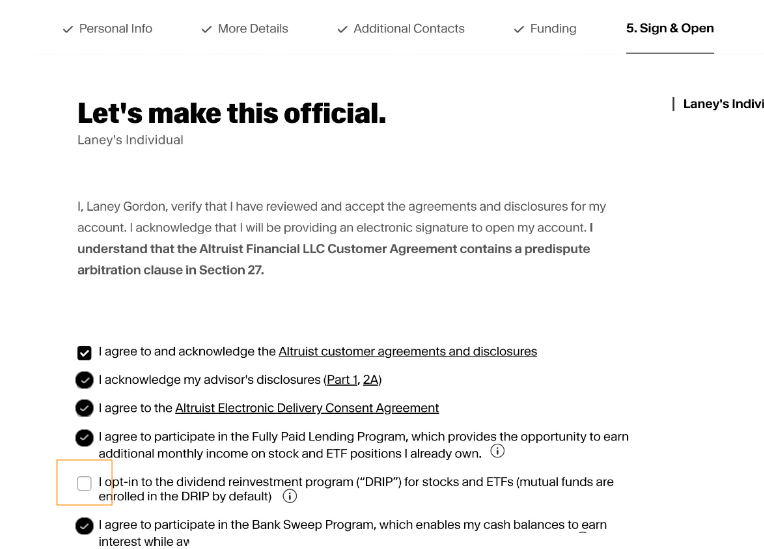
- When you get to the acknowledgements and signature page, feel free to check all boxes except for the taxable brokerage account, do not opt into DRIP and leave this box unchecked. This just helps us ensure any trades are by our instruction and done in the most tax efficient manner for your situation.
Get to know your Altruist account with our guide here: slpwealth.helpscoutdocs.com/article/167-getting-started-with-altruist